Quick answer
What is XenoFeels gameplay like?
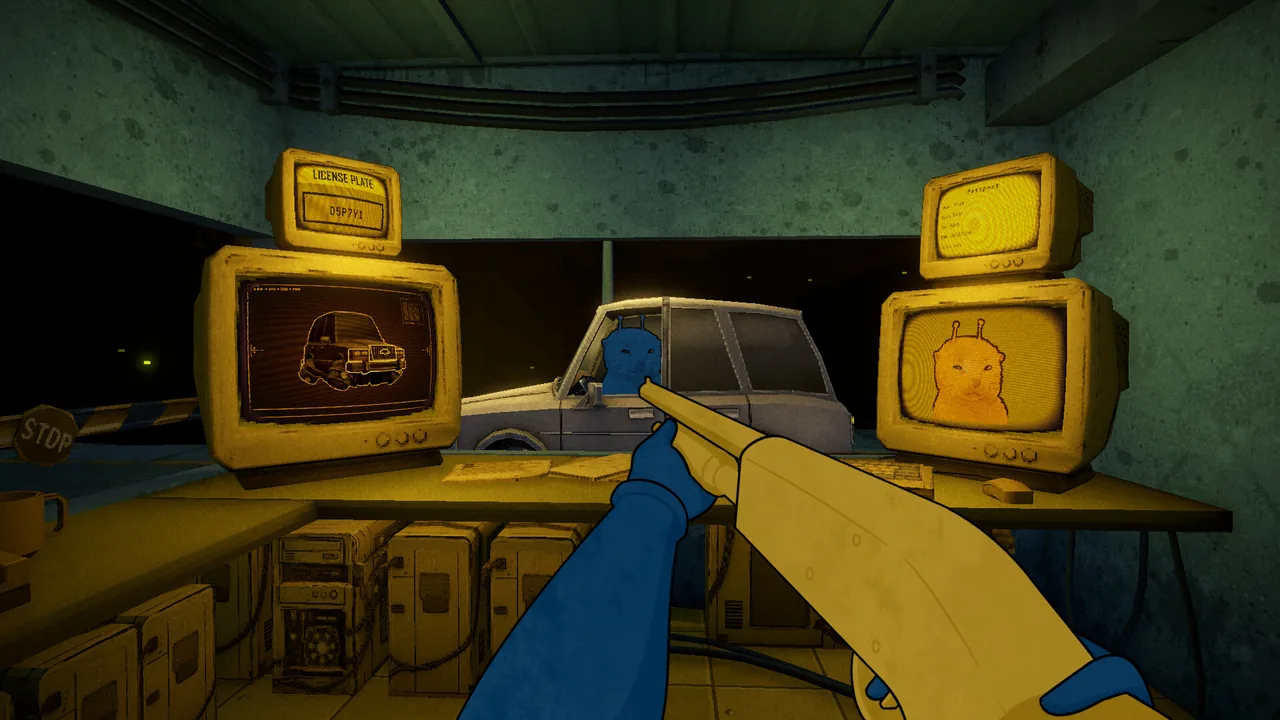
XenoFeels gameplay is an evidence-first checkpoint simulation set in a science-fiction customs post. You are not simply choosing a dialogue option or clicking a single passport stamp. You read the current rules, compare a visitor with their paperwork, inspect unusual details, screen vehicles and cargo when they appear, and decide whether the evidence supports entry. The official Steam description presents this loop alongside disguise detection, contraband checks, a shotgun, psychological pressure and branching consequences.
The most useful way to understand the game is to treat every case as several evidence layers. A document can contain a name, date, permit or entry reason. A portrait or body can confirm or contradict identity. A vehicle adds a plate, cargo and scan context. Dialogue can point you toward a check, but it should not replace a concrete mismatch. This creates the tension players see in the gameplay screenshots: the answer is often available, but only if you slow down enough to compare the right things.
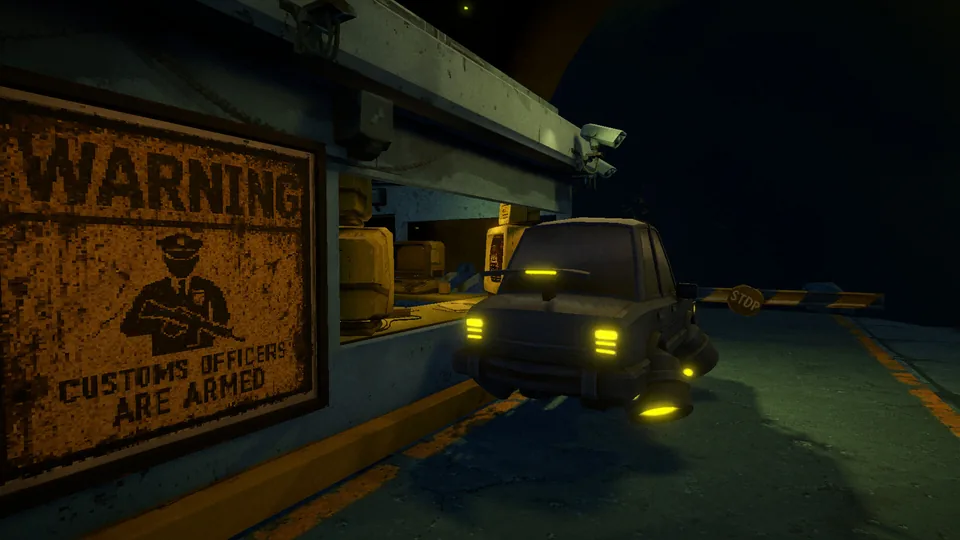
XenoFeels gameplay also has a stronger physical and atmospheric layer than a flat paperwork puzzle. The checkpoint sits in space, visitors arrive in vehicles, warning signs and monitors surround the desk, and the inspector may need to react when a case becomes dangerous. The shotgun is therefore part of the decision pressure, not a promise that every suspicious visitor should be shot. A strange appearance is a clue to investigate; it is not automatically a rule violation.
This page explains the public gameplay shape without pretending that the current demo or trailer reveals the complete final game. For exact inspection order, continue to the How to Play and Inspection Guide pages. For route decisions and observed demo outcomes, use the Walkthrough and Endings pages. The gameplay overview answers the earlier question: what will I be doing moment to moment, and what makes XenoFeels different from a conventional border-checking game?
XenoFeels gameplay guide
XenoFeels gameplay loop at a glance
The order below is a mental model for understanding the gameplay, not a replacement for case-specific rules. The active shift rules always outrank memory.
| Gameplay layer | What you do | What can go wrong |
|---|---|---|
| Rules | Read the current entry limits, dates, permits, species notes and special alerts before the queue moves. | Using yesterday's rule or assuming every visitor follows the same policy. |
| Documents | Compare names, dates, origin or species, entry purpose, permits and other required fields. | Missing a quiet mismatch because you check fields in a different order each time. |
| Visitors | Compare the person or alien with the portrait, dialogue and visible identity cues. | Treating an unusual appearance or nervous line as proof without a rule conflict. |
| Vehicles and cargo | Match plates, cargo declarations, scan results and the visitor's explanation. | Stopping at the passport and ignoring a second evidence set outside the booth. |
| Decision | Approve or deny only after you can state the evidence that supports the choice. | Rushing for speed, then confusing a bad assumption with a confirmed violation. |
Read documents, faces and vehicles as separate evidence layers
The screenshots used in this guide are existing official Steam media assets already documented in the site source. They are useful for explaining the visual gameplay loop, but they do not prove unreleased case rules or a complete final roster.
Documents establish the claim
Start with the stable fields that can be checked directly: name, identity number, date, permit, origin or species, entry reason and any shift-specific requirement. A document is the visitor's claim, not automatic proof.
The visitor confirms or contradicts it
Compare the portrait and visible body with the stored information, then use dialogue or behavior to decide which field deserves closer inspection. Avoid turning fear, odd design or nervousness into a verdict.
Vehicles add another case
A driver, plate, cargo declaration and scanner result can change an otherwise clean decision. Treat a vehicle as a second document set and keep its evidence attached to the same visitor.
The environment carries tone
Monitors, warning signs, darkness, the distant planet and the armed-booth setting make the same paperwork feel more dangerous. Atmosphere raises pressure, but it should not replace a verifiable rule or mismatch.
Why the shotgun and psychological pressure matter
The shotgun changes how a checkpoint game feels because a decision can appear to have an immediate physical consequence. It is better understood as a pressure signal than as a shortcut. If the gameplay gives you a confirmed reason to stop a dangerous case, the weapon supports that moment; if you only feel suspicious, shooting is not a substitute for inspection. The strongest gameplay rhythm is still observe, compare, verify and decide.
The same principle applies to the game's psychological framing. Public descriptions and official media suggest that the inspector is working under stress and may hear or experience unsettling things. That supports a tense atmosphere, but it does not prove a public numeric sanity meter or a fixed diagnosis. Keep gameplay facts, visible effects and interpretation separate until an official build or announcement confirms more.
If you are watching a trailer or older demo clip, use it to understand pacing, camera perspective and the type of evidence on screen. Do not use it as proof that every interface, rule or case will remain identical in the final release.
-
Build a stable check order
Read the active rules, compare identity fields, inspect the visitor, pause for vehicles and cargo, then make the decision. A stable rhythm creates speed without guesswork.
-
Separate suspicion from evidence
A strange alien, a dark booth or nervous dialogue can tell you where to look. The final action should still rest on a rule, mismatch, missing document, scan result or other concrete conflict.
-
Use danger as a decision test
When a case becomes threatening, ask what the game has actually shown before reacting. The shotgun adds urgency, but the goal is a defensible decision rather than the fastest dramatic response.
-
Keep demo outcomes in context
A trailer, preview build or demo endpoint can show a route without revealing the full story. Link observed outcomes to the Walkthrough and Endings guides instead of calling one clip the final canon.
What the public XenoFeels gameplay does and does not prove
Gameplay searches often mix official screenshots, old demo clips, fan theories and unsafe download claims. Use this boundary to decide which statements belong in a guide and which should remain open.

| Topic | Safe gameplay statement | Do not overclaim |
|---|---|---|
| Inspection work | The player checks visitors, documents, vehicles and cargo before deciding who can pass. | A complete rulebook for every future case. |
| Alien identity | Appearance and portraits can act as evidence surfaces in the inspection loop. | A full named roster or a verdict based only on species design. |
| Shotgun | Official media shows an armed checkpoint and the gameplay is framed as dangerous. | That every suspicious visitor should be shot or that every weapon interaction is final-game content. |
| Psychological pressure | The public description uses mind and voice language to establish tension. | A confirmed sanity stat, diagnosis or single literal meaning for every unsettling effect. |
| Demo and release | The official Steam page is the live source for the current Windows/2026 status. | An old video, mirror or APK as proof of a current installable build. |
| Final story | Choices, consequences and multiple endings are part of the public story promise. | A trailer or demo clip as the complete final canon route. |
XenoFeels gameplay FAQ
Official gameplay sources
- XenoFeels on Steam - Official public description, screenshots, platform status, system requirements and developer-linked updates.
- XenoFeels Steam Community - Use for first-party announcements and future gameplay or release updates.